Models like Bambu Lab P2S, Elegoo Centauri Carbon 2 Combo, and UltiMaker S-series dominate different price and use segments
The right choice depends mainly on build volume, material type (filament vs resin vs metal-filled), and user skill level
Modern printers feature automatic calibration, AI failure detection, and quieter operations compared to pre-2022 models. This guide explains core specs (resolution, filament, connectivity) and lists concrete 2025–2026 printers to consider
Introduction: What “3D Printing” Really Means
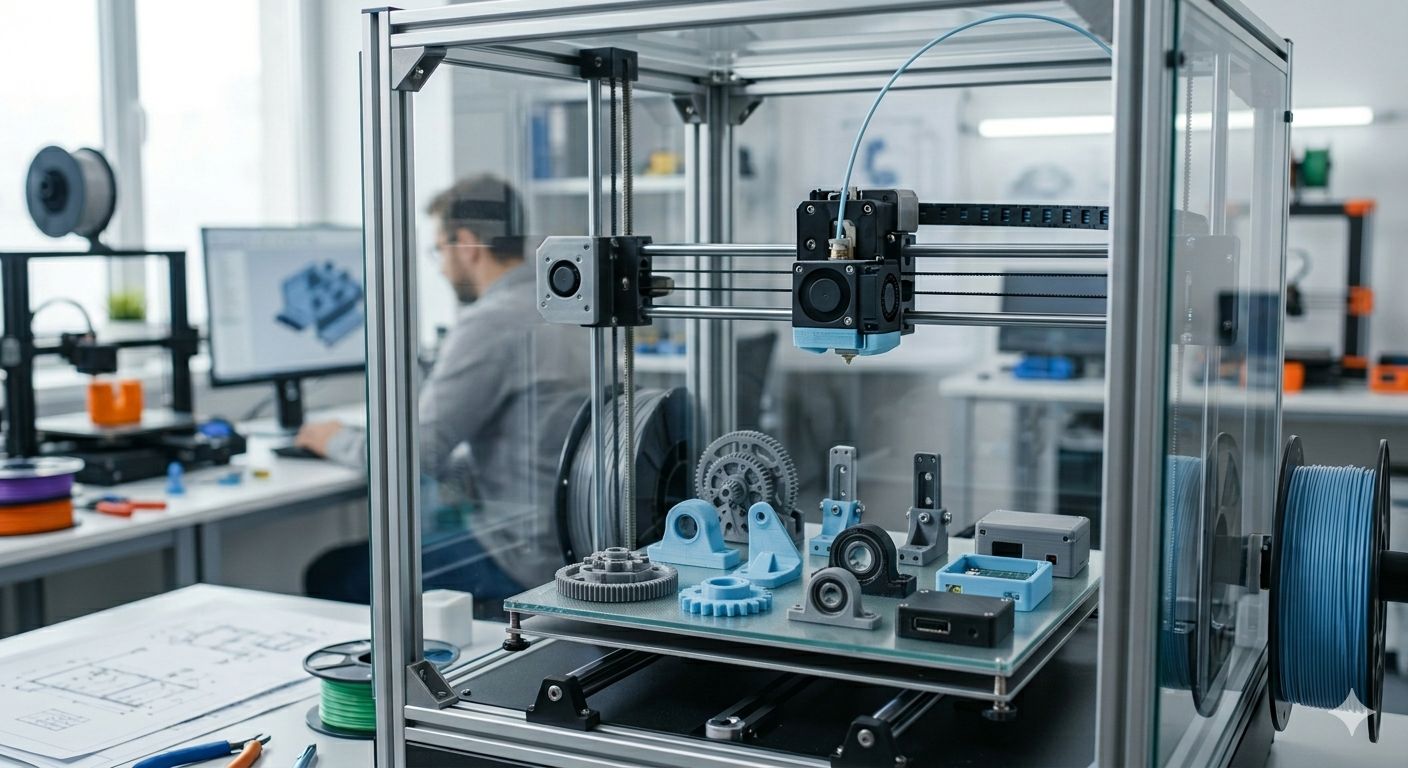
The phrase “3D printing” carries two meanings that both matter for today’s buyers. First, it refers to using a 3D printer to create parts, upgrades, or even entire frames for other printers—a practice central to open-source projects like Voron and the broader maker community. Second, it reflects what people actually search for: the best 3D printers to start printing functional parts and everyday objects in 2026.
This article focuses on helping you pick a machine that lets you produce functional parts, DIY printer components, cosplay helmets, brackets, and household items. Whether you want to print upgrades for your own printer or simply need a reliable desktop system, the buying considerations are largely the same.
Consumer 3D printing has matured dramatically between 2020 and 2026. Machines from manufacturers like Bambu Lab and UltiMaker now feature coreless direct-drive motors, AI-assisted failure detection, and multi-material capabilities. The P-series and S7 lines have become mainstream choices thanks to enclosed designs that reduce warping, quieter operations via silent stepper drivers, and cloud-integrated workflows that minimise user intervention.
This guide is structured into three main parts: how to choose a printer based on specs that actually matter, a comparison of popular 2025–2026 models organised by use case, and a practical FAQ covering questions not addressed elsewhere.
How 3D Printers Work in 2026
At its core, 3D printing—also called additive manufacturing—constructs objects layer by layer from digital 3D models. This contrasts with subtractive methods like CNC milling or a laser cutter, which remove material from a solid block. Additive approaches typically reduce material waste by up to 90% for complex geometries and enable intricate internal structures impossible with traditional fabrication.
The process begins with CAD design exported as STL, OBJ, or 3MF files. Slicing software like Ultimaker Cura or PrusaSlicer converts these into G-code layer instructions, typically 0.1–0.4 mm thick for FDM machines. The printer then executes these instructions along X, Y, and Z axes.
FDM/FFF (Fused Deposition Modeling / Fused Filament Fabrication) dominates the consumer market, accounting for over 70% of desktop printers. These machines melt thermoplastic filaments like PLA, PETG, and acrylonitrile butadiene styrene through a heated nozzle onto a build platform. 2026 models reach speeds up to 500 mm/s with auto-leveling sensors ensuring first-layer adhesion.
Resin printers (SLA, MSLA, DLP) photopolymerize liquid resin using 405 nm UV light. They achieve 35–50 µm XY resolution—far surpassing FDM’s capabilities—making them ideal for miniatures, dental models, and jewellery. However, they require post-processing with isopropyl alcohol washes, UV curing, and proper ventilation for VOC emissions.
Metal-filled FDM has emerged as a middle ground. Desktop systems like Raise3D Forge1 extrude composites with 20–40% metal powders, which are then debound and sintered for near-metal densities up to 98%.
- FDM/FFF technology is best for functional parts and large objects, offering typical layer heights between 0.1 and 0.3 mm with minimal post-processing, usually just support removal.
- Resin printers (MSLA/DLP) excel at producing fine details and miniatures, achieving XY resolutions of 35 to 50 microns, but require post-processing steps like isopropyl alcohol washing and UV curing.
- Metal-filled FDM printers create near-metal parts with layer heights typically between 0.1 and 0.2 mm, and require additional post-processing such as debinding and sintering to achieve final strength.
Real-world examples include FDM-printed Voron printer frames (fully self-replicating designs), resin dental aligners with 50 µm precision, and metal-filled brackets enduring 500N loads in automotive jigs. Many businesses and individuals who don’t own printers rely on local 3D printing companies for prototyping services to produce similar parts on demand.
Key Buying Factors When Choosing a 3D Printer
Before examining specific models, you need to understand the core specs that shape day-to-day usability. These factors will determine whether a printer fits your workflow or frustrates you within weeks.
Build Volume
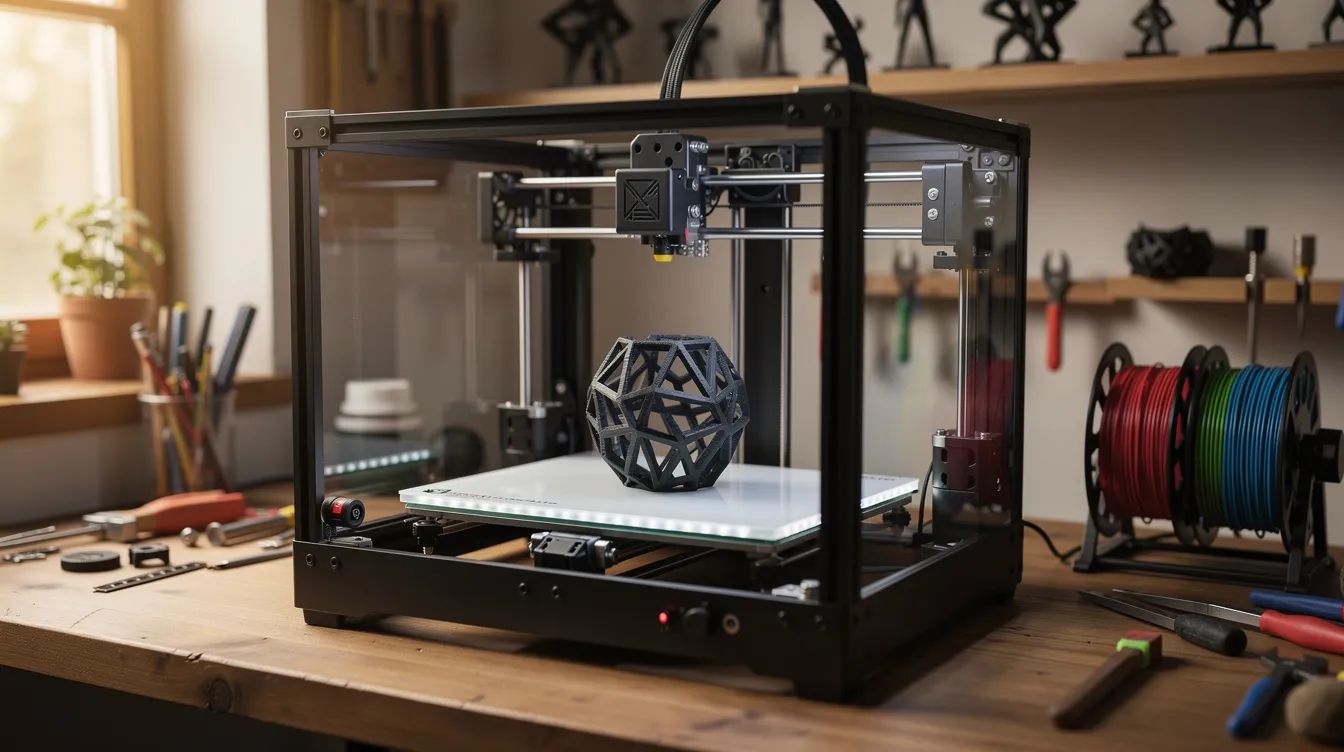
Build volume defines your project scale. Entry-level machines like Ender-3 variants offer 220×220×250 mm—sufficient for phone stands, brackets, and printer mods. Mid-range options like Anycubic Kobra 3 Max expand to 400×400×500 mm for helmets and drone frames. Professional units like UltiMaker S7 balance detail and capacity at 330×240×300 mm. Resources on large format 3D printing and industrial-scale machines are useful if you’re evaluating printers well beyond desktop sizes. A large build volume matters if you plan to print larger objects without splitting them.
- Resins: Range from flexible to high-temp variants for dental and jewelry applications, while professional FDM 3D printing services with instant quotes can handle complex filament projects when outsourcing makes sense
An all metal hotend opens access to higher-temperature materials like nylon and polycarbonate without degrading over time, and the broader range of 3D printed shapes used across industries shows how this versatility translates into real-world applications.
Print Resolution and Quality
Print quality depends on layer height and XY accuracy. For everyday prints, 0.2 mm layers work well. High-quality prints demand 0.1 mm or below. Resin printers routinely achieve sub-50 µm resolution for fine details impossible on FDM machines. Print technology directly influences what surface finish you can achieve.
Frame Type and Safety
Open frames: Cheaper, accessible for tinkering, but louder and less safe
Enclosed chambers: Reduce warping for ABS, quieter (<45 dB), better for homes
Filtration: HEPA/carbon filters reduce VOCs by up to 95% for resin and ABS printing, and good ventilation also helps when troubleshooting issues like 3D printer jams and filament clogs.
For classroom or home use with children, enclosed designs with lid detection and thermal runaway protection are essential.
Connectivity and Software
Modern printers support Wi-Fi, Ethernet, and cloud integration. Slicers like Bambu Studio, Cura, and PrusaSlicer handle file preparation; guides to the top 3D printing software tools can help you pick modeling and slicing programs that fit your workflow. Good software saves significant time—automatic calibration, accurate to 0.01 mm, slashes setup from hours to minutes.
Budget Tiers (2025–2026 Prices)
Entry Tier: Under $300 Features: Basic PLA support, louder fans, plastic frames; if you don’t want to buy hardware yet, on-demand 3D printing services with one-day UK turnaround can be a low-risk way to prototype parts.
Mid-range Tier: $300–$800 Features: Enclosures, direct-drive, speeds up to 250 mm/s
Enthusiast Tier: $800–$2,500 Features: Multi-colour AMS, hardened nozzles, AI detection
Professional Tier: Above $2,500 Features: Dual-extrusion, active chambers, PEEK/Ultem support
Good fit if: You’re a beginner prioritizing auto-leveling and touchscreens, an educator seeking fleet management, or a pro demanding 99.5% uptime repeatability.
Best 3D Printers for 2026 by Use Case
This curated overview organises recommendations by how you’ll actually use the printer. All picks reference models widely available in late 2025 and early 2026 from lines like Bambu Lab, Elegoo, Creality, UltiMaker, and Raise3D.
Each subsection focuses on one buyer type: overall pick, budget, beginner, education, business, precision, engineering, miniatures, and budget multi-colour printing.
Best 3D Printer Overall
Bambu Lab P2S commands consensus as the best overall choice for 2026. This enclosed CoreXY machine delivers 500 mm/s maximum print speeds (300 mm/s sustained), a 256×256×256 mm build volume, and AI failure detection via built-in camera.
What makes it stand out:
- Automatic calibration with piezoelectric probing
- Filament runout and clog detection
- Built-in Wi-Fi/cloud workflow with Bambu Studio
- Support for PLA through carbon-fiber-reinforced nylons via hardened 0.4 mm nozzles
- Quiet operation under 48 dB
The P2S suits both ambitious beginners and experienced users who want to spend more time designing and less time tinkering. At approximately $900 with AMS Lite for 4-color printing, it represents a great choice for reliable, high-speed production. Build quality and exceptional reliability make it the benchmark against which other aspects of competing printers are measured.
Best 3D Printer on a Budget
For users seeking decent quality prints without significant investment, the Elegoo Neptune 4 Plus (2025 refresh) delivers remarkable value at around $280.
Key specs:
- 320×320×385 mm build volume
- 500 mm/s speeds via Klipper firmware
- Direct-drive extruder
- Auto-bed leveling
Realistic limitations:
Louder fans (55 dB)
More plastic components than premium models
Occasional clogs on flexible filaments
This affordable machine handles brackets, cosplay accessories, household hooks, and printer mods at roughly 10–20¢/hour filament cost. Community support is extensive, making troubleshooting straightforward. It’s a great choice for users who want to learn without major financial commitment.
Best 3D Printer for Beginners
The Bambu Lab A1 Combo (~$550) offers the smoothest path from unboxing to your first print. This plug-and-play system includes AMS multi-color capability, wizard-guided leveling, and quiet 42 dB operations.
What beginners will appreciate:
- Assisted setup process with clear touchscreen wizards
- Safety features including runout sensors and lid detection
The A1 Combo lets users learn slicing basics and maintenance without firmware hacks or hardware modifications. It’s ideal for apartments and home offices where noise and complexity matter. Personal satisfaction comes quickly when print jobs succeed on the first attempt.
Best 3D Printer for Education
UltiMaker S3 (~$5K) leads the classroom segment with features designed for teaching environments: enclosed build chamber, HEPA filtration, and lockable doors for student safety.
Ecosystem benefits:
- Fleet cloud management for 100+ units
- Integration with STEM curricula and lesson plans
- Multi-user support for schools, makerspaces, and libraries
Real classroom applications:
- Geometry models for mathematics teaching
- Historical artefact replicas
- Robotics parts for project-based learning
- Engineering prototypes
Total cost of ownership considerations:
- 10K+ print hour durability
- 3-year warranty options
- $50–100/year maintenance costs
- Filament consumption varies by class size
MakerBot SKETCH offers a similar profile at 250×250×250 mm with filtering and school-focused support. Both provide minimal supervision requirements—essential when managing 30 students.
Best 3D Printer for Business and Professional Use
For design studios and small batch production, the UltiMaker S7 Pro Bundle (~$8K) delivers professional-grade reliability with 330×240×300 mm dual-extrusion, PVA soluble supports, and 99% uptime.
Business use cases:
- Jigs and fixtures for manufacturing
- Functional prototypes for client presentations
- Low-volume end-use parts
- Dental lab models (with Raise3D DF2 for high-volume operations)
Key purchasing factors:
- Repeatability across batches
- Vendor support and training availability
- Spare parts accessibility
- CAD-to-print pipeline integration
The Raise3D E2 (350×330×240 mm dual-extrusion) with remote monitoring serves product design firms needing to produce prototypes overnight. A dental lab running Raise3D DF2 resin printers achieves 52 µm resolution across dual 10.1” 8K screens for aligners and surgical guides.
Best 3D Printer for Precision and Fine Detail
When extreme detail matters, high-resolution resin printers like the Elegoo Mars 5 Ultra deliver 18 µm XY resolution via 9K LCD panels—impossible to match with any FDM system.
Typical specs:
- 153×77×165 mm build volume
- 150 mm/h print speed
- 0.02 mm tolerances achievable
Ideal applications:
- Jewellery masters require high precision
- Dental models
- Tabletop gaming miniatures
- Collector figurines with fine details
- Intricate mechanical prototypes
The Phrozen Sonic Mega 8K S offers larger 330×185×400 mm batch printing at 33 µm resolution for production workflows.
Honest trade-offs: Resin printing requires ventilation, nitrile gloves, eye protection, and post-processing with isopropyl alcohol and UV curing. The resin tank needs regular cleaning, and consumables add ongoing costs. The surface finish is exceptional, but the workflow is messier than FDM.
Best 3D Printer for Engineering and Functional Parts
Engineering applications demand printers handling high-temperature thermoplastics. The UltiMaker Factor 4 features a heated chamber reaching 60°C for carbon-fiber and glass-fiber reinforced nylons at 336×368×302 mm build volume.
Capabilities:
- High-temp hotends for nylon, polycarbonate, and composites
- 0.1% dimensional accuracy
- Profiles optimized for engineering-grade materials
Sector applications:
- Automotive tooling
- Aerospace prototyping
- Manufacturing jigs bearing 1KN loads
- Robotics R&D (custom end-effectors for robot arms)
The Raise3D Forge1 enables metal-filled FDM with post-sinter 1200°C strength—approximating industrial capabilities without $500K+ SLM systems. For users needing to produce functional brackets and housings that survive real-world loads, these machines justify their price.
Best 3D Printer for Miniatures and Models
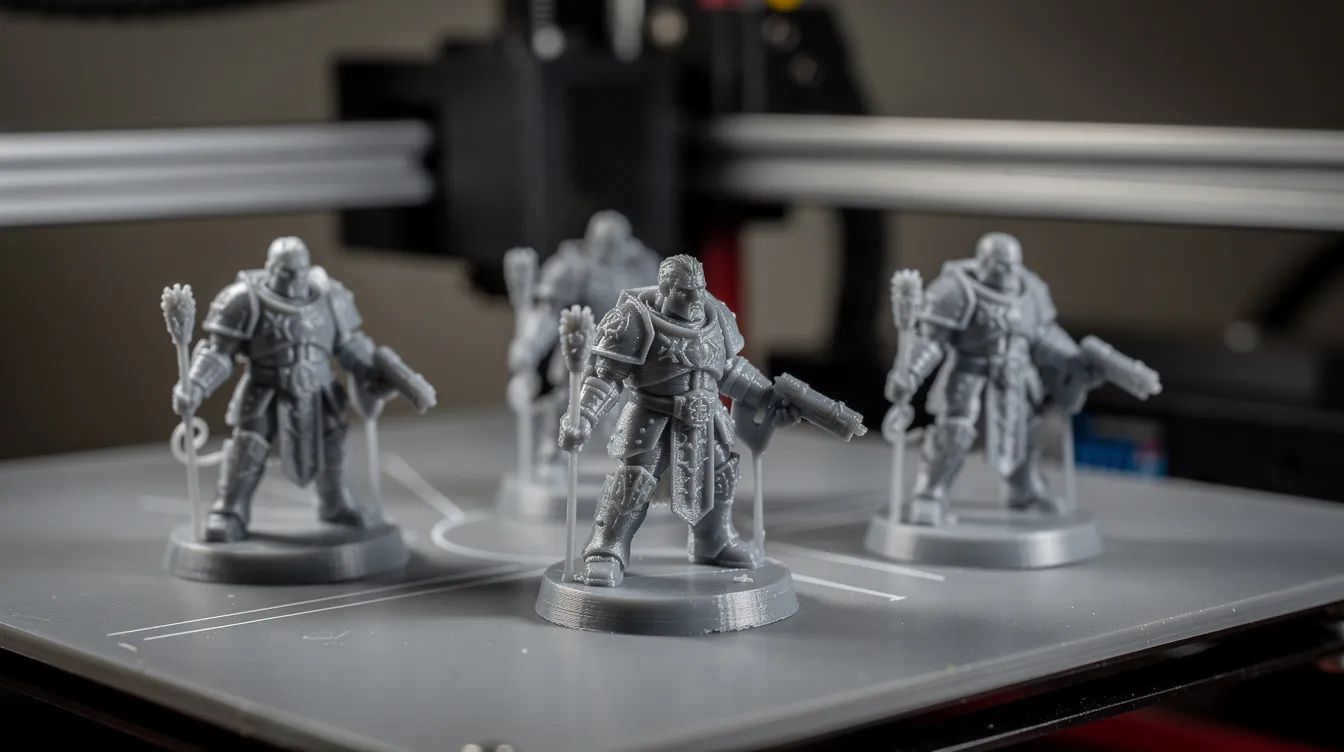
Hobbyists painting tabletop armies should consider compact resin printers like the Elegoo Mars 5 (143×89×175 mm) for sharp detail on small parts with smooth surfaces.
Why they excel:
- 18 µm resolution captures finest details
- Speed improvements in 2024–2026 generations
- Batch printing multiple miniatures per run
Use cases:
- Tabletop wargaming armies
- D&D characters
- Architectural scale models
- Garage-kit figurines
Essential accessories:
- Wash/cure station (integrated or separate)
- Nitrile gloves and safety glasses
- Proper ventilation setup
- Spare FEP films
Build volume considerations: Enough space for 4–8 miniatures per print while keeping resin consumption and filament waste manageable.
Best Budget 3D Printer for Multi‑Color Printing
The Bambu Lab A1 Combo (~$550) again stands out for multi material prints and multi color printing on a budget. Its integrated AMS system handles 4-spool color changes with purge-optimized slicing that minimizes the typical 15% waste.
Benefits:
- Multi-colored logos and cosmetic accents
- Functional parts with soluble supports
- No manual painting required
Trade-offs:
- Longer print times due to purge towers
- More filament waste than single-color printing
- More complex slicer setups
Minimum specs to look for:
- Filament runout sensors on all channels
- Reliable color-change routines
- Purge optimization in slicer
- Direct-drive extruder for consistent feeding
For users doing branding-heavy projects or teaching visual design, multi-color capability transforms output from functional to eye-catching.
Popular 3D Printer Lines in 2025–2026
Many buyers search by brand name. Here’s how major product lines map to typical users.
Bambu Lab (P-series, A-series, H-series)
Fast, enclosed filament printers with strong 2024–2026 reputations. The P2S serves enthusiasts and pros ($900), the A1 Combo targets beginners ($550), and the H-series handles larger builds. All feature tight software integration and reliable performance out of the box.
Elegoo Neptune (Filament) and Mars/Saturn (Resin)
Budget-friendly range popular in hobbyist communities. Neptune 4 variants start under $300 for solid FDM printing. Mars and Saturn resin printers offer high-resolution output from $200–600, making them accessible entry points for detail work.
Creality Ender and K-series
Long-standing entry and mid-range workhorses with massive user communities and countless mods. Ender 3 V3 KE ($259) suits tinkerers who enjoy optimizing their machines. K1 series ($400–700) adds speed and enclosed designs.
UltiMaker S-series and Factor Line
Premium professional systems common in design studios, universities, and engineering departments. S7 ($4K–8K) handles business needs with dual-extrusion and soluble supports. Factor 4 serves engineering applications requiring active chambers.
Raise3D DF2, Forge1, and E2
Specialized printers for small and medium businesses. DF2 handles dental and jewelry resin work at production scale. Forge1 enables metal-filled FDM for near-metal parts. E2 provides industrial-grade desktop reliability for prototyping operations. Price range: $3K–15K depending on model.
Development across all brands has accelerated, with speeds doubling yearly from 2020–2026 and AI integration rising 300%. These shifts mirror wider 3D printing trends across food, medical, and aerospace sectors, where new applications emerge as hardware stabilizes. The technology has plateaued enough post-2024 that new releases bring incremental improvements rather than revolutionary changes.
Practical Tips for Getting Started with 3D Printing in 2026
Modern printers are far easier than early DIY kits, but basic skills still pay dividends. Here’s a quick-start checklist for your first weeks:
- Start with calibration prints: Benchy (2-inch boat, 1-hour test at 60 mm/s) and XYZ cubes help verify scaling and quality
- Use forgiving materials first: PLA filament ($20/kg, 190°C) or standard resin for the first month; understanding PLA’s properties and service options helps you get predictable, stable results early on.
- Learn your slicer: Spend time with Cura, PrusaSlicer, or Bambu Studio before attempting complex prints, and explore the best sites for downloadable 3D print files so you can practice on well-tuned models.
- Regular maintenance: Clean nozzles every 300–1000g filament, check belt tension monthly, replace FEP films yearly (~$30)
- Safety first: Use ventilation for ABS and resin, keep printers away from children and pets, handle resin with gloves and eye protection
- Power protection: Use surge protectors; UPS recommended for longer print jobs
- Backup profiles: Save working slicer settings before experimenting
Self-printing printer parts: 70% of Voron/Prusa components are printable in PLA/PETG, though load-bearers may need carbon-fiber filaments. This becomes a fun advanced project after 100+ hours of experience.
Monthly costs for hobby use typically run $10–40 for materials, $2–5 for electricity (200W × 50 hours = 10 kWh), plus occasional nozzles and PEI sheets; more detailed 3D printing cost breakdowns and calculators can refine these estimates for your specific setup.
FAQ
This FAQ covers common questions not fully addressed in the sections above.
How long does a consumer 3D printer usually last?
With basic maintenance, a well-built FDM printer can last 3–7 years (2K–10K print hours). Consumables like nozzles ($5–20), belts, and bearings require periodic replacement. Resin printers have LCD panels and FEP films that wear out sooner—often after a few hundred hours—but these are replaceable components costing roughly $30 each. Environmental factors (dust, humidity, heavy daily use) and regular servicing significantly impact real-world life.
How much does it cost to run a 3D printer each month?
For hobby use, most people spend $10–$40 monthly on filament or resin depending on print size and frequency. Electricity costs are modest: typical desktop FDM printers draw 150–300W while printing, leading to only a few dollars monthly for occasional users (roughly 10 kWh at $0.15/kWh = $1.50). Consumables like nozzles, PEI sheets, and resin filters add small ongoing costs, and broader guides to the full costs of 3D printing can help you budget for professional services as well. General use keeps total monthly expenses under $50 for most hobbyists.
Are 3D printers very noisy?
Modern 2024–2026 printers with silent stepper drivers are much quieter than older models—enclosed machines typically operate at 40–48 dB (library-level). However, cooling fans and moving parts still produce noticeable noise. Open-frame printers can reach 55–60 dB during fast printing. For living spaces, enclosed printers work best. If overnight printing is planned, placing the printer in a separate room or enclosure makes a noticeable difference.
Can I print parts to upgrade or even build another 3D printer?
Many hobbyists do exactly this: printing brackets, fan shrouds, cable chains, spool holders, and even structural frame parts for open-source designs like Voron or RailCore. Critical load-bearing components may still require metal or high-strength composite parts, but a large share of a new printer’s frame and accessories can be self-printed. “3D printing” is a fun advanced project once you’re comfortable with basic printing, tuning, and material selection—typically after 100+ hours of experience.
Is now (2026) a good time to buy a 3D printer, or should I wait?
Yes, 2025–2026 machines offer significant improvements in speed, automation, and reliability compared with pre-2022 printers. Core technologies have stabilized enough that a good printer purchased today should remain useful for many years. Wait only if a specific, already-announced model is releasing in the next few months and fits your exact needs. Otherwise, purchasing now gives you years of productive use while the technology continues incremental refinement rather than revolutionary change.
Are you on the hunt for the best large print 3D printer? This article delves into a comprehensive comparison of top models, examining their key features and highlighting the benefits of large format 3D printing.

.svg)